What is the pinch?

pinch /pɪntʃ/

noun

  1. A tight spot where several demands meet and there is little room to move.
  2. Restaurants. The part of a shift when the rush hits harder than the plan: someone calls off, the weather turns, a break is overdue, and the paperwork is still waiting. “Lunch hit, two people called off, and we still got through the pinch.”
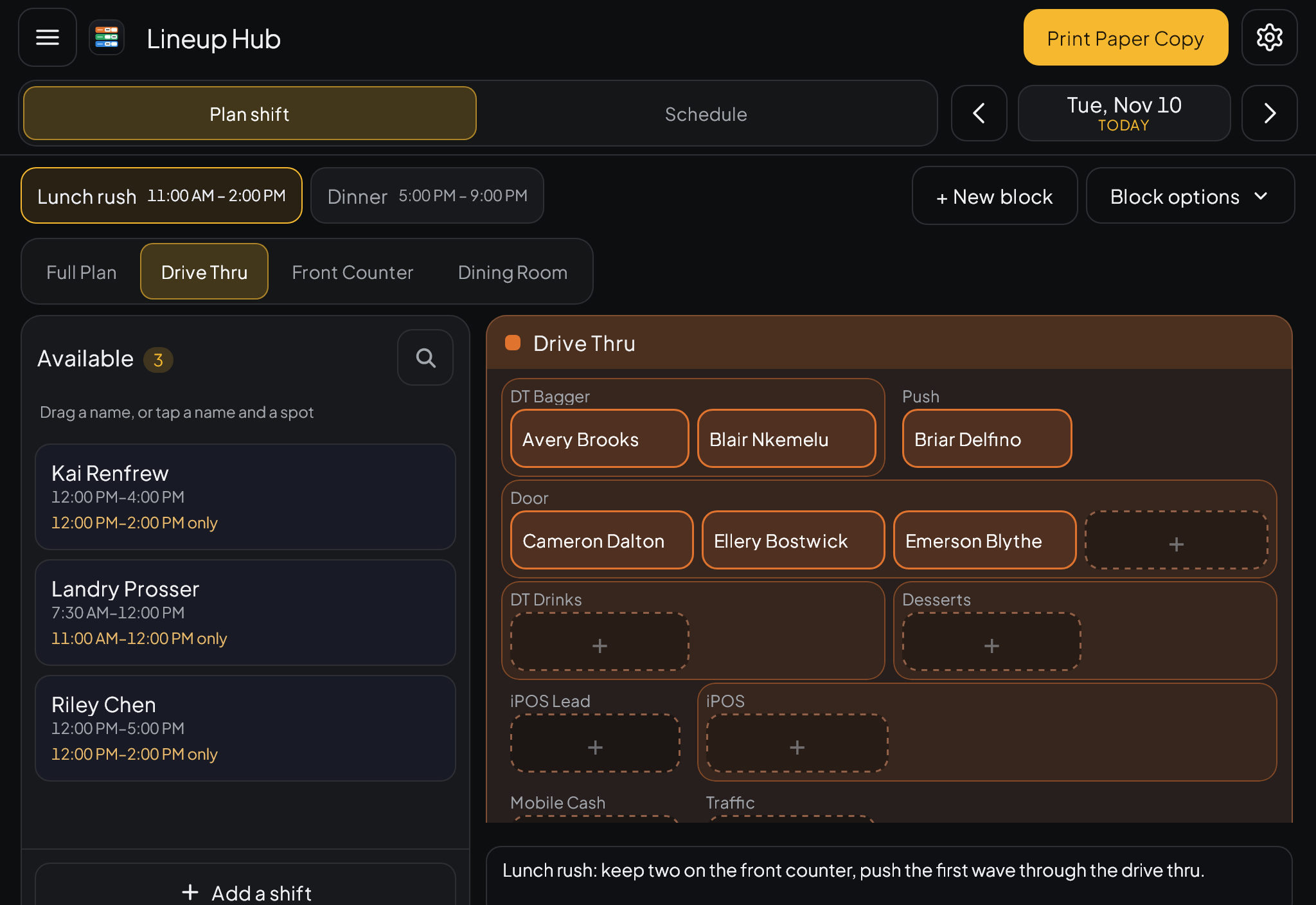
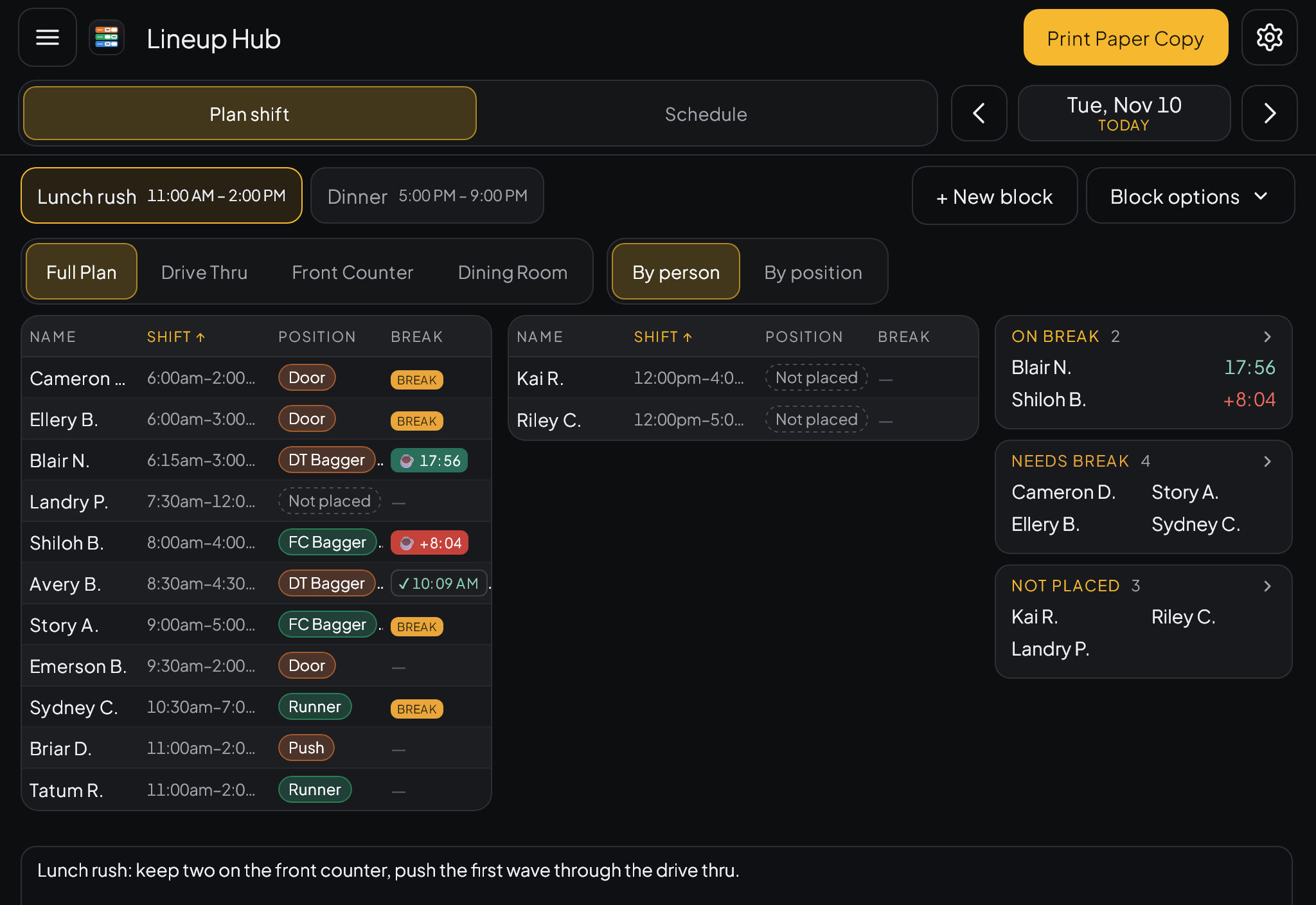
Pinch Lineup Hub on an iPad, with team members placed into Drive Thru positions
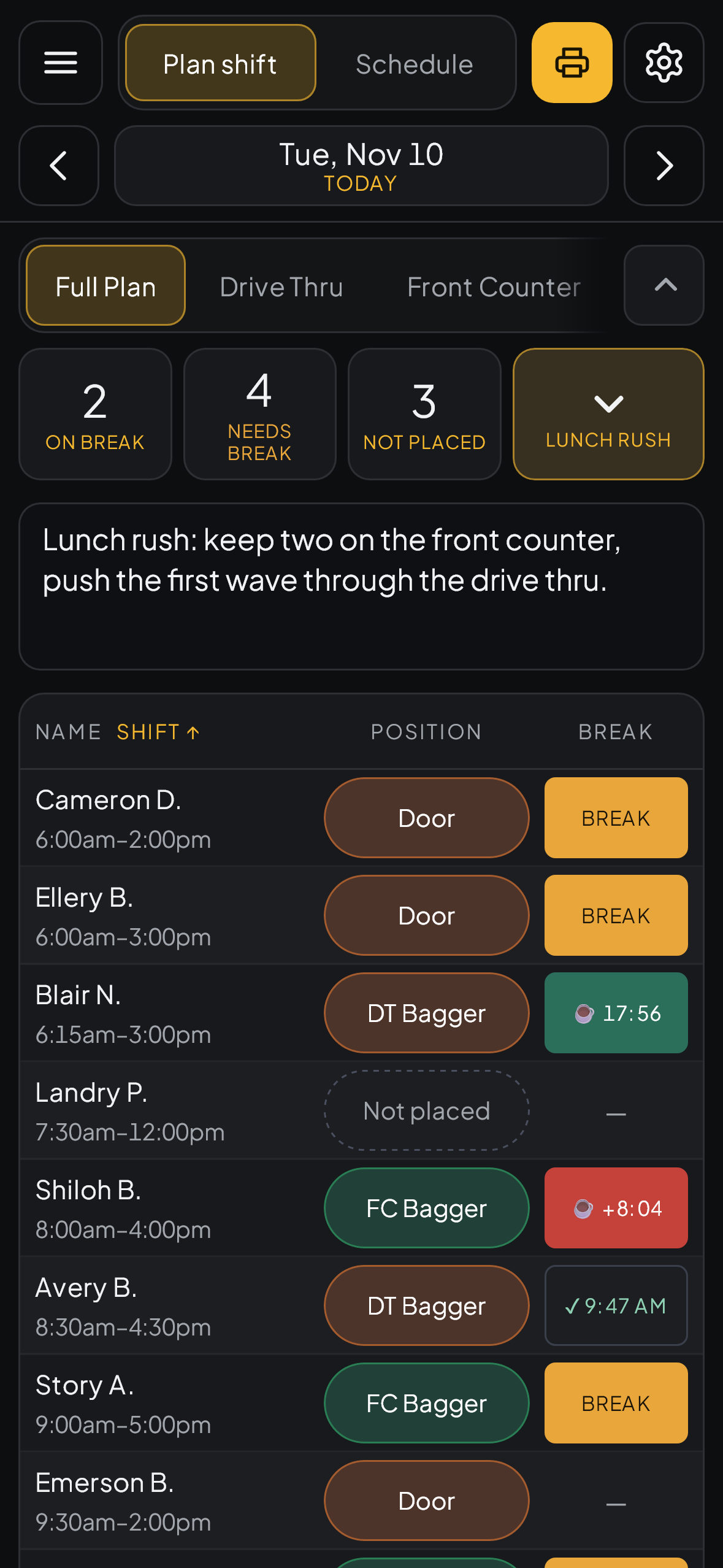
Pinch Lineup Hub on an iPhone

Pinch is the set of tools that gets a restaurant through it.

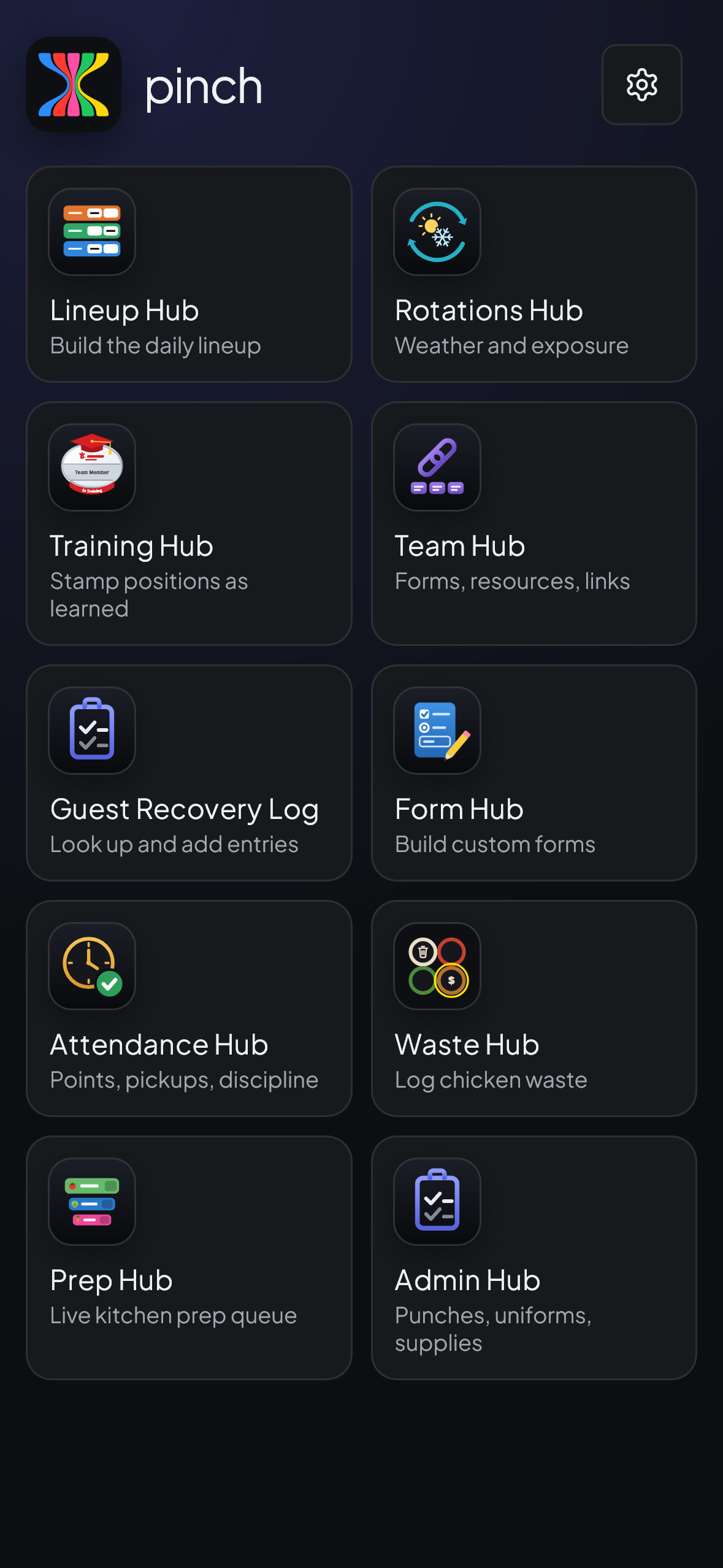
The lineup, breaks, weather, attendance, training, waste, prep, forms and paperwork. Nine tools, one login, on the iPad at the store and on your phone.

The demo has sample data, so you can’t break anything.

  • Lineup
  • Rotations
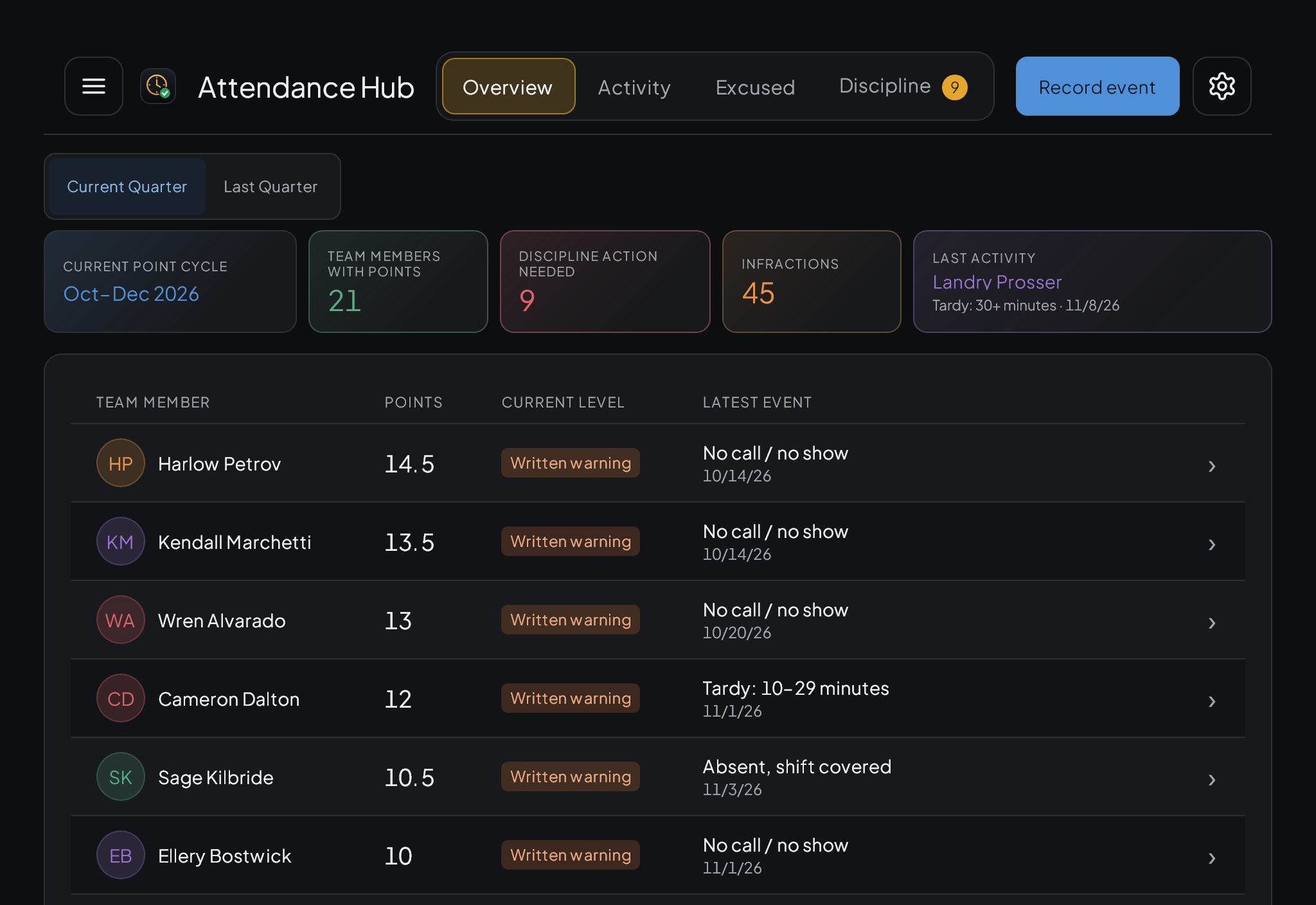
  • Attendance
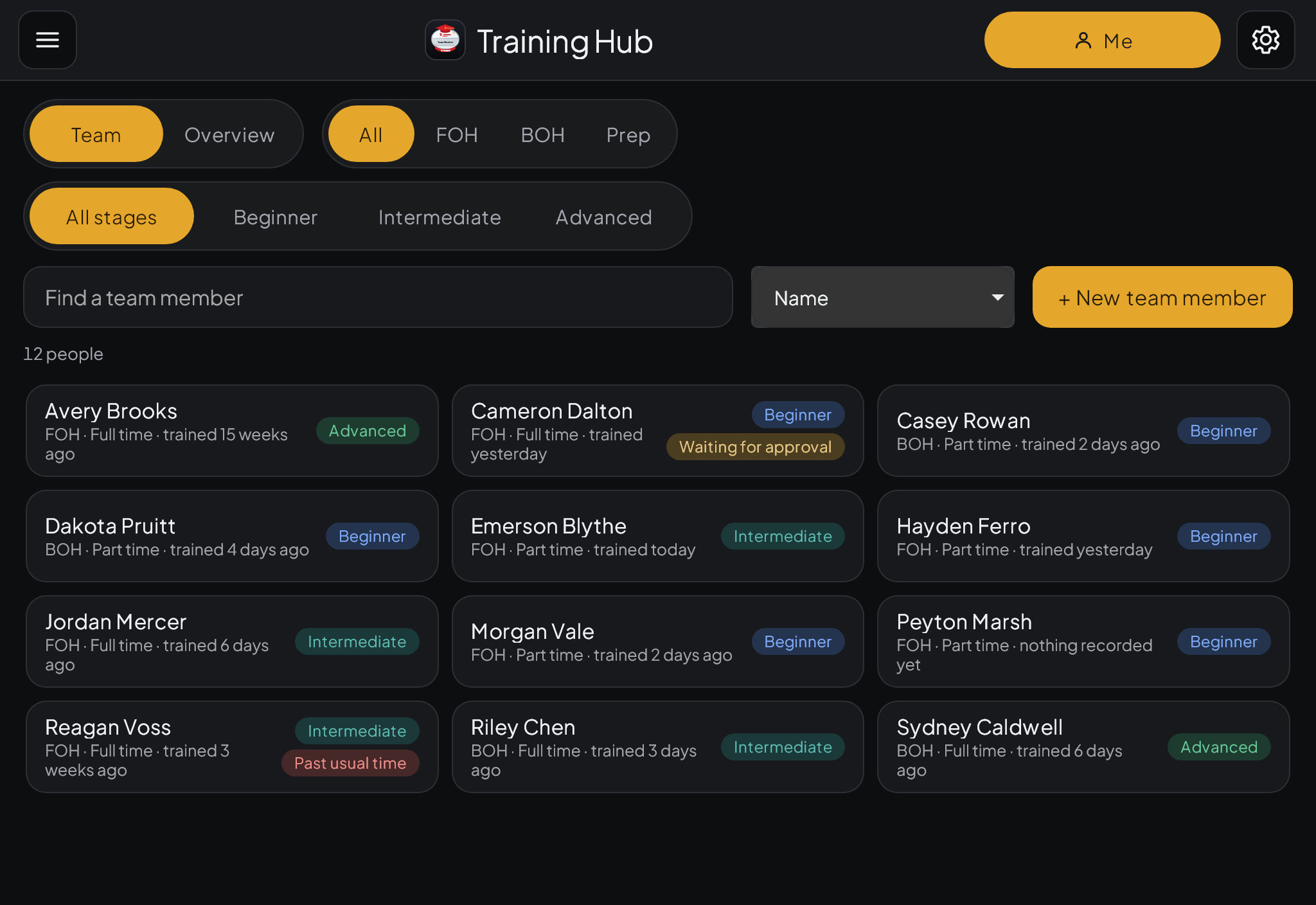
  • Training
  • Admin
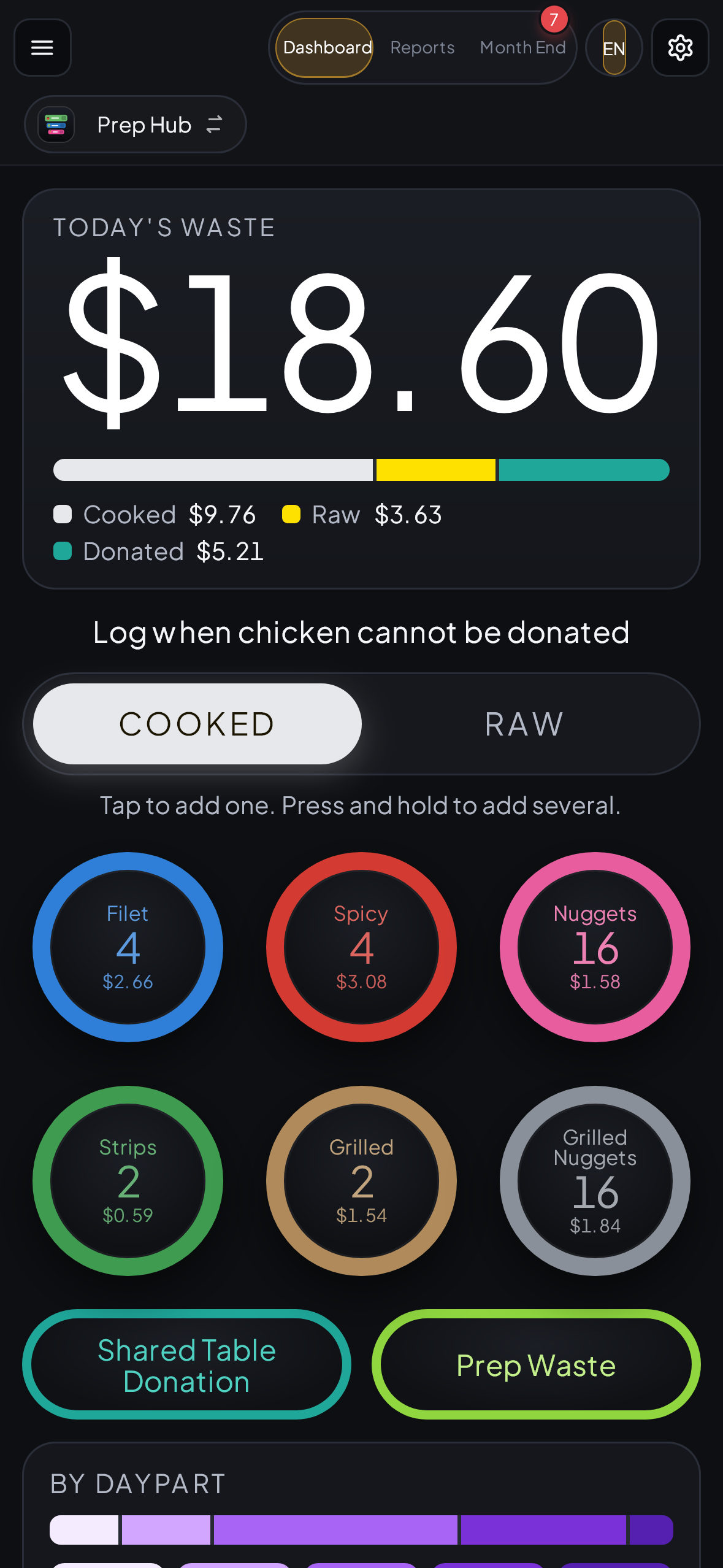
  • Waste
  • Prep
  • Forms
  • Team

Lineup Hub

Build the lineup by tapping.

  • Tap a name, then tap a spot. Or drag.
  • Everyone on a break is marked, and the timers count on their own.
  • A position that is short gets a warning.
  • Print the paper sheet when you are done.
Lineup Hub on an iPad showing everyone in the block with their positions and breaks

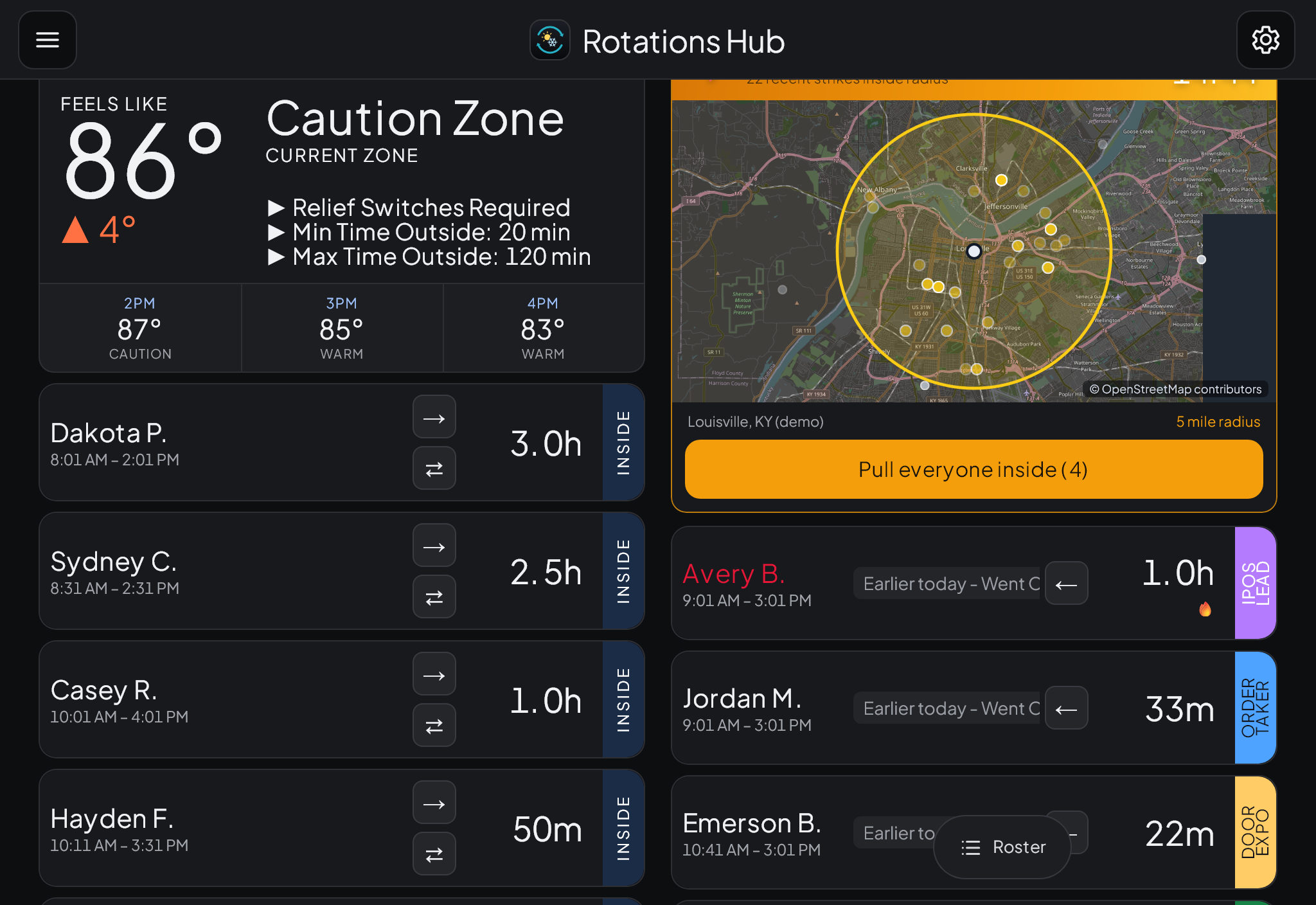
Rotations Hub

Know who has been outside, and for how long.

  • Heat and cold limits for your store's weather, with time outside tracked for each person.
  • Lightning inside your radius shows on a map, and one tap brings everyone in.
  • Swap who is outside with a single tap.
Rotations Hub on an iPad showing weather guidance, a lightning map and timers

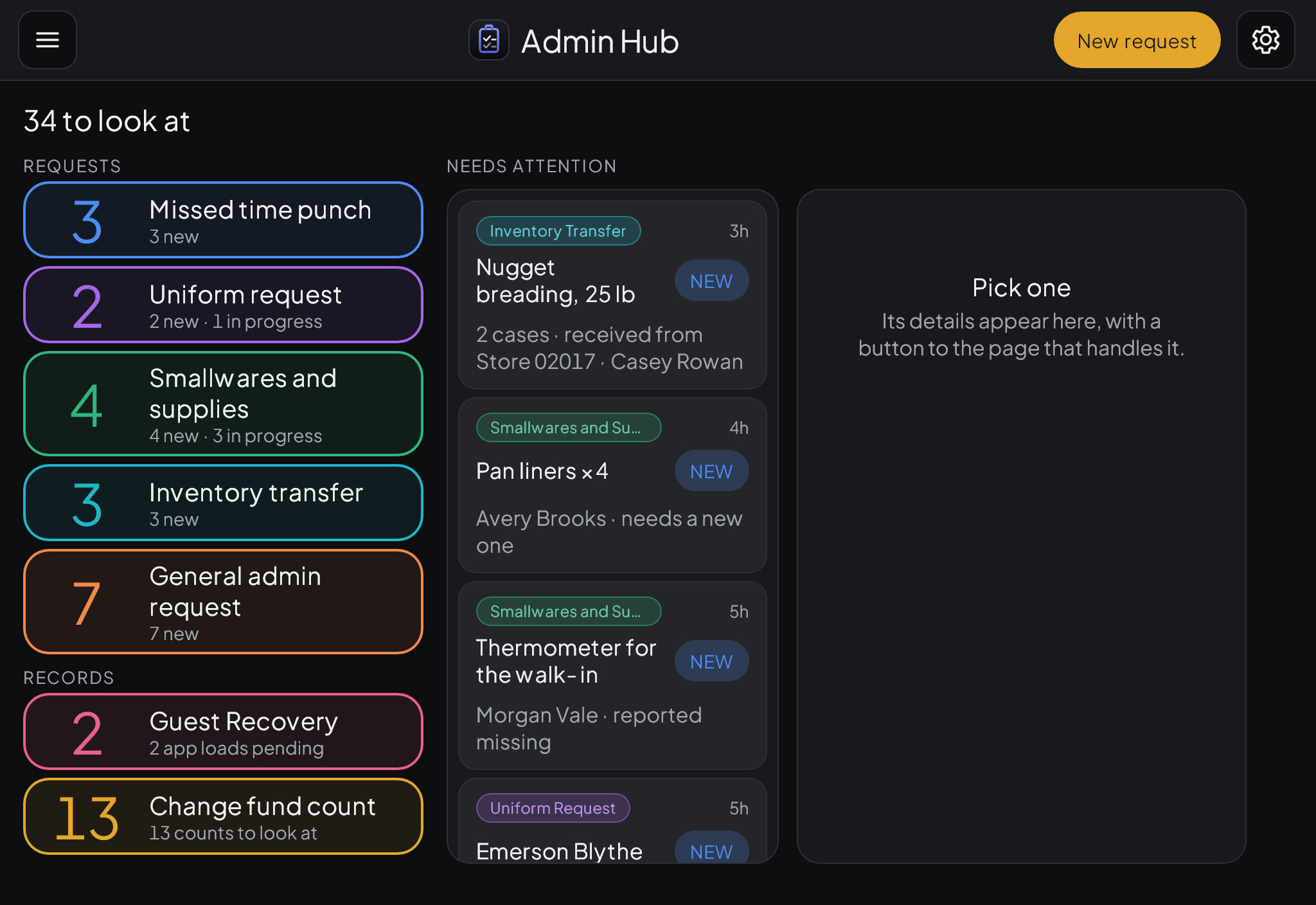
Admin Hub

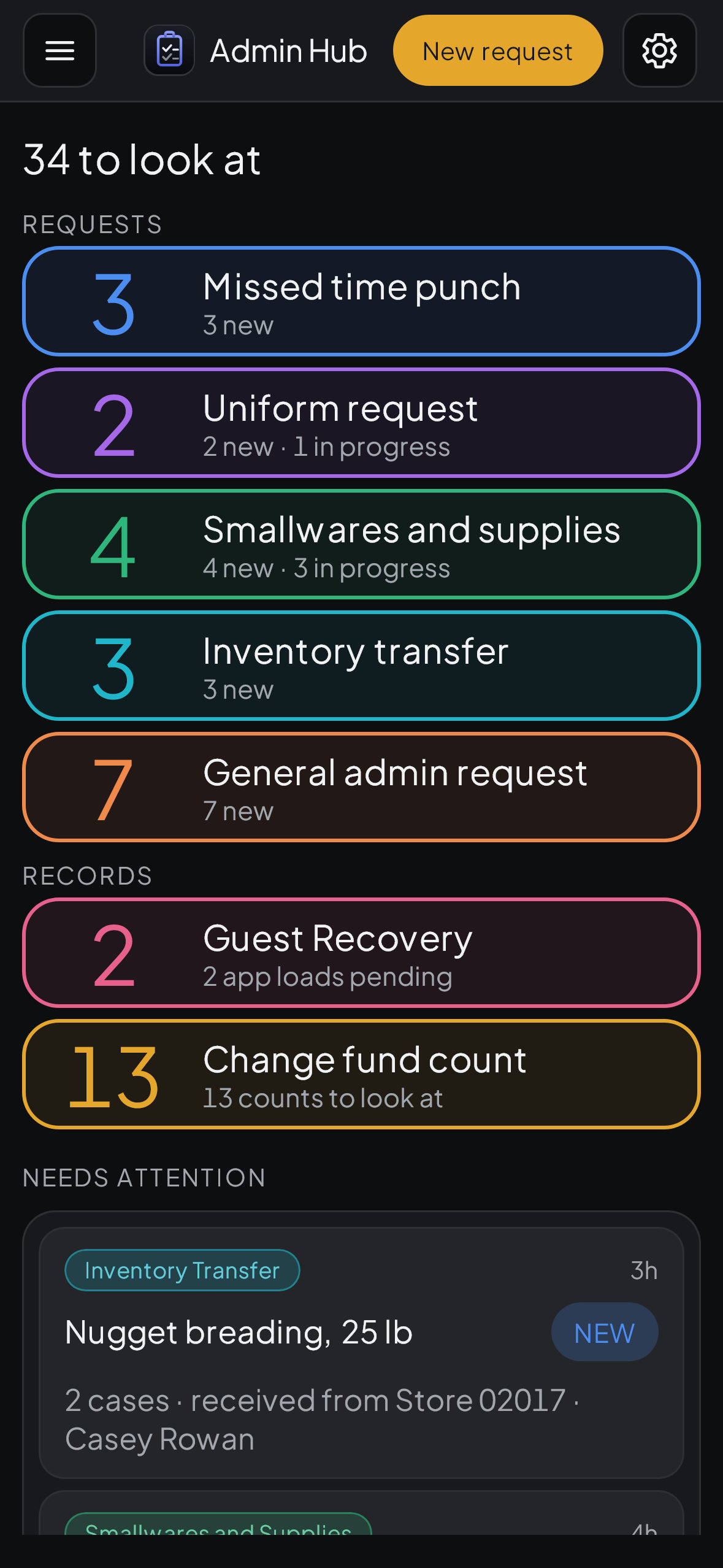
One inbox for the paperwork.

  • Missed punches, uniform orders, supply requests, inventory transfers and change fund counts.
  • Team members fill out a guided form on their phone.
  • Private details are encrypted and deleted when the request is done.
Admin Hub on an iPad showing request types and an inbox

Attendance Hub

Attendance, kept the same for everyone.

  • Points, written warnings and shift pickups for every team member.
  • Excused absences with the documents attached.
  • Print a record before the conversation.
Attendance Hub on an iPad showing a points list and written warnings

And the rest

Training Hub

Stamp each position as someone learns it, then move them up a stage.

Training Hub on an iPad showing team members and their stages

Waste Hub

Tap to log waste in dollars. Daily totals and reports.

Waste Hub on an iPhone

Prep Hub

A prep queue for the kitchen that everyone can see.

Form Hub

Build your own forms for the team to fill out.

Team Hub

A public page for your team with forms, links and resources.

It works on a phone.

Add Pinch to your home screen and it opens like any other app.

The Pinch home screen on an iPhone
Lineup Hub on an iPhone
Admin Hub on an iPhone

Pricing

Pricing is not set yet. Pinch is still in development and is not taking new accounts right now.

Try it with sample data.